Event Videography in NZ: What to Know About Corporate & Conference Video Production

Planning an event in Christchurch?

Planning an event in Christchurch—or anywhere in New Zealand—and want to capture it on video? Whether you’re hosting a leadership conference, internal training day, or multi-day summit, event videography can turn those live moments into long-term business assets. Strategic event video production ensures your message reaches far beyond the venue.

Here’s what to look for in a team, how to maximise ROI, and why corporate event videography is one of the smartest post-event investments.

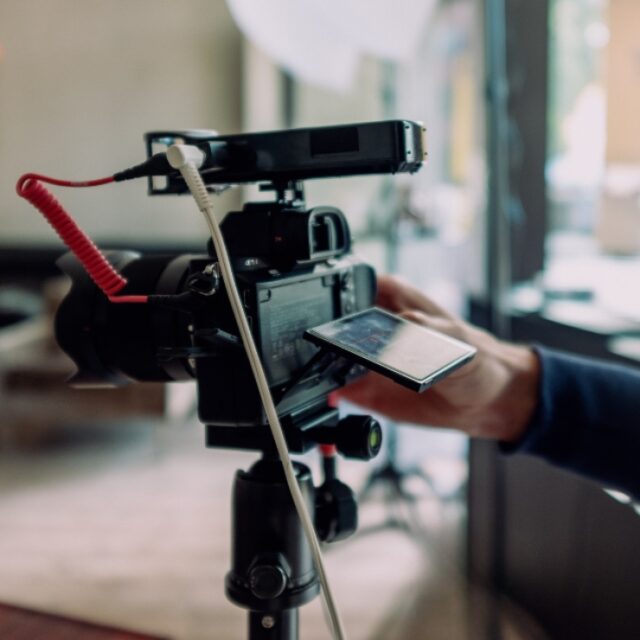
Event videographer

Why Invest in Event Videography?

Professional event video production helps:

• Increase audience reach beyond attendees

• Repurpose moments into social content, training clips, or promo videos

• Provide long-term assets from short-term events

• Elevate brand professionalism across touchpoints

From conferences to team training, a good event video keeps delivering value long after the chairs are packed up.

Event videographer (1)

Choosing the Right Conference Videography Team

When hiring a team for conference video production, look for:

• Experience with corporate event videography projects

• Multi-camera setup for panels or keynote capture

• Clear communication and pre-event planning

• Backup audio, lighting, and file delivery systems

You want a partner who thinks strategically—not just someone with a camera.

Event videographer (2)

Event Video Packages & Pricing in NZ

Pricing depends on factors like event length, number of cameras, editing requirements, and deliverables. At Elevate Digital, we offer:

-Half-day coverage: Great for short conferences or morning events
-Full-day coverage: Best for award evenings, conferences, or multi-part activations
-Multi-day packages: Ideal for summits or roadshows
-Common Deliverables Include:
-Highlight reel (1–2 minutes)
-Full presentation edits
-Interview clips or testimonials
-Vertical/social cutdowns

Event videographer (3)

How to Get the Most from Your Event Footage

Too many businesses get a great-looking video… that sits unused.
Make your corporate event videography go further:

To get real ROI:

•Plan your key messages in advance. What soundbites or segments do you want to capture?
•Use B-roll intentionally. Great background footage supports future marketing assets.
•Brief your team. Prep speakers and attendees on what’s being filmed.
•Think multi-use. Ask for social versions and content you can use internally

Event videographer (4)

Working with Elevate Digital

We’ve filmed everything from intimate speaker nights to full-scale conferences across Christchurch and the South Island. Our approach is strategy-first and outcomes-focused. We don’t just shoot events—we create content that elevates your brand.

Pre-production planning

On-site filming with experienced crew

Fast, high-quality editing

Strategic repurposing advice

Get in touch
Elevate Digital

Final Thoughts

Conference videography and event video production are more than just “filming the day.” When handled right, they’re business growth tools.

Not sure what to film—or how to use it after? Book a free 15-minute strategy call to plan smarter, not harder.

Contact
Event videography

Send us an email

Name(Required)

This site is protected by reCAPTCHA and the Google Privacy Policy and Terms of Service apply.

How to Script the Selling Seven Videos: A Step-by-Step Guide

Write Better Sales Videos: The Exact Scripts Behind the Selling Seven Framework

If your videos aren’t converting—or worse, confusing viewers—a weak script might be the reason. Writing a great video script doesn’t start with fancy words or clever hooks—it starts with your buyer.

At Elevate Digital, we’ve helped dozens of Kiwi businesses write simple, effective video scripts using frameworks from StoryBrand, Engage, and They Ask, You Answer.

In this guide, we’ll walk you through how to script each of the Selling Seven video types—so your content builds trust and drives results.

How to Script the Selling Seven Videos

1. The 80% Video – Answer Top Buyer Questions

Use the 80% video to eliminate sales friction before the call.

Purpose:
Address the most common 5–7 questions your sales team hears on repeat.

Script Framework:
Intro: “If you’re wondering [common question], you’re not alone.”
Q1–Q5: List and answer each question clearly and confidently.
CTA: “If we didn’t answer your question here, get in touch—we’re happy to help.”

Tips:
Keep tone conversational.
Use real language your customers use.
Keep the video under 5 minutes.

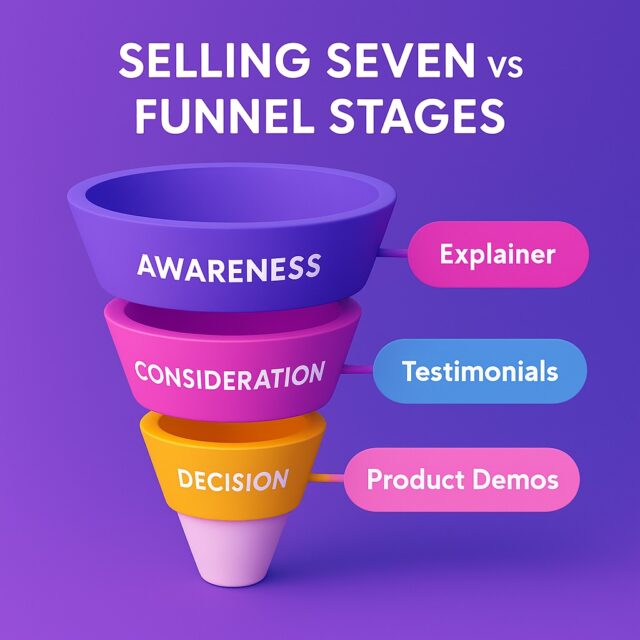
The Selling Seven overview
How to Script the Selling Seven Videos (1)

2. Employee Bio Video – Build Personal Trust

Use employee bios to make your team approachable before the first meeting.

Purpose:
Help your customer feel like they know you before they ever meet you.

Script Framework:
Intro: “Hey, I’m [Name], and I’m the [role] at [Company].”
Why You Do What You Do: What motivates you? What do you love about your role?
Fun Fact or Personal Touch
Closing: “Looking forward to working with you.”

Tips:
Keep it short—under 90 seconds.
Smile. Be human.
Avoid jargon or reading off a page.

How to Script the Selling Seven Videos (2)

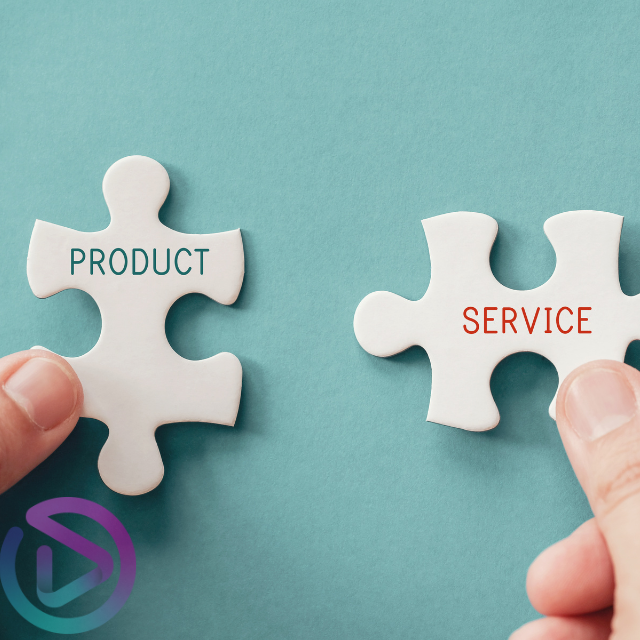
3. Product/Service Video – Show & Tell

A well-scripted product video lets customers experience your value instantly.

Purpose:
Help your customer understand what you do, how it helps them, and what makes it different.

Script Framework:
Problem: The issue your customer is facing.
Solution: How your product or service solves that.
Process: What happens when they buy/work with you.

CTA: Want to see how this works for your team? Book a quick walkthrough.”
Or: “Explore real results from businesses using [your product/service]

Tips:
Keep it under 2 minutes.
Use real examples.
Match tone to your brand (warm? fun? straight-talking?)

How to Script the Selling Seven Videos (3)

4. Landing Page Video – Drive Conversions

Landing page videos drive action when every second counts.

Purpose:
Get your viewer to take one clear, specific action—immediately.

Script Framework:
Hook: Call out the problem and emotion behind it
Solution: Show how your offer solves that problem
Outcome: Paint a picture of the transformation or success
CTA: One urgent, frictionless next step

Tips:
Write it like a mini sales pitch—this is copy on camera
Keep it short: 45–90 seconds
End with a verbal and visual CTA on screen

How to Script the Selling Seven Videos (4)

5. Cost/Pricing Video – Build Trust with Transparency

Be the business that talks honestly about price—your customers will thank you.

Purpose:
Answer the #1 question buyers have but are often too afraid to ask.

Script Framework:
Opening: “Let’s talk pricing.”
What Affects Cost: Time, scope, materials, expertise.
Why You Charge What You Do: Reinforce value.
CTA: “Book a quote” or “Download our pricing guide.”

Tips:
Be honest—even about ranges.
Reassure the viewer with your process.

The selling 7 videos elevate digital

6. Customer Journey Video – Set Expectations

When buyers know what to expect, they’re far more likely to say yes.

Purpose:
Make it easy for buyers to say yes by removing the fear of the unknown.

Script Framework:
Intro: “Wondering what it’s like to work with us?”
Step-by-Step Process: Walk through your onboarding/delivery.
Set Expectations: Timeframes, communication, what’s needed.
CTA: “Let’s chat about your project.”

Tips:
Keep it under 2 minutes.
Visualise the journey with simple animations or graphics.

How to Script the Selling Seven Videos (5)

7. Testimonial Video – Let Customers Do the Selling

Let your customers explain why you’re worth it.

Purpose:
Leverage happy clients to build trust and credibility.

Script Framework (for your client):
The Problem: What were they struggling with?
The Solution: What did you provide?
The Result: What changed?
Would You Recommend Us?

Tips:
Prep your client but don’t script them.
Keep it natural.
Capture multiple takes, then edit down.

How to Script the Selling Seven Videos (6)

Common Scripting Mistakes to Avoid

Writing like you’re reading a blog post—not a conversation

Skipping the call to action

Using internal jargon instead of customer language

Trying to “sound smart” instead of being clear

How to Script the Selling Seven Videos (7)

Final Thoughts

You don’t need to be a professional copywriter to write a strong video script—you just need to know your customer. Focus on their problems, their questions, and their journey, and you’ll create content that earns trust and drives action.

The Selling Seven: The Videos That Will Transform Your Business
How to Script the Selling Seven Videos (8)

Want help turning your script into a video that sells?

Name(Required)

This site is protected by reCAPTCHA and the Google Privacy Policy and Terms of Service apply.

The 7 Most Important Sales Videos for Business. That you can make yourself (The selling 7 framework)

Not Getting Enough Qualified Leads?

If you’re not getting enough qualified leads—or they’re stalling halfway through the buying process—video might be the piece you’re missing. Video is no longer optional—it’s a non-negotiable when it comes to trust-building, educating buyers, and driving sales.

At Elevate Digital, we’ve helped dozens of Kiwi businesses craft video content that answers buyer questions, overcomes objections, and shortens the sales cycle. In this article, we’ll break down The Selling Seven: the 7 essential types of videos your business should be creating—and how each one works to drive conversions.

leads

Why Video Marketing is Essential for SEO and Sales

• Video increases website engagement—viewers retain 95% of a video’s message compared to only 10% from reading text.

• Search engines prioritise video content—websites with video are 53 times more likely to rank on the first page of Google.

• Video marketing accelerates revenue growth—companies using video see nearly 50% faster revenue growth than those that don’t.

• Buyers make decisions before contacting sales—70% of purchase decisions are made before ever speaking to a salesperson.

• If your brand isn’t answering their questions, your competitors are.

seo

The Selling Seven Video Types Your Business Should Be Using

1. The 80% Video: Answer Common Customer Questions

Use 80% videos to answer top buyer questions before they reach out to sales—saving your team time and increasing trust.

How to Film It:

Choose a well-lit space and speak directly to the camera as if you’re addressing a customer.

Keep it conversational and engaging—don’t rely on a rigid script.

Add text overlays and visuals to reinforce key points.

SEO Tip:

Include the exact phrasing of common customer questions in the video title, description, and transcript to improve search rankings.

Learn more in our guide to SEO-friendly video scripts →

Example:

An accounting firm creates a video answering the top 5 questions their clients ask about GST returns—saving time on every initial consultation and showcasing their expertise early in the buyer’s journey.

80%

2. Employee Bio Videos: Build Trust Before You Even Meet

Employee bios humanise your brand and build trust before a buyer ever makes contact.

How to Film It:

Have each team member introduce themselves and talk about their role.

Keep it natural—avoid reading from a script.

Capture shots of them working in their element to add authenticity.

SEO Tip:

Optimise the video title and description with keywords related to your industry and team roles (e.g., “Meet Our SEO Specialist | Digital Marketing Experts”).

Example:

A real estate team films short introduction videos of each agent, making it easier for potential clients to connect with the right person.

boi

3. Product/Service Page Videos: Show, Don’t Just Tell

A strong product or service video helps buyers see value quickly—without scrolling through blocks of text.

How to Film It:

Show your product or service in action.

Use customer testimonials to reinforce credibility.

Keep it concise—under two minutes is ideal.

SEO Tip:

Embed the video on high-intent pages (like product or service pages) and include a keyword-rich transcript.

Example:

A coffee roastery films a behind-the-scenes look at their sourcing and roasting process, building excitement and trust around their premium blends.

services

4. Landing Page Videos: Increase Conversions

Landing page videos add a high-trust layer that helps convert visitors into leads.

How to Film It:

Speak directly to the audience and explain the benefits of your offer.

Keep it short—ideally under 90 seconds.

End with a clear and compelling call to action.

SEO Tip:

Add structured video data (schema markup) to improve search visibility and click-through rates.

Example:

A business consultant adds a short video to their service enquiry page, explaining the next steps, leading to a 30% increase in consultations.

Landing page

5. Cost & Pricing Videos: Build Trust with Transparency

Buyers are already searching for your pricing—addressing it openly builds trust and filters the right leads.

How to Film It:

Be upfront about pricing—explain why costs vary and what factors influence pricing.

Walk through different service levels or packages.

Focus on the value, not just the price.

SEO Tip:

Optimise for long-tail keywords like “How much does [your service] cost?” to attract high-intent search traffic.

Example:

A software company films a pricing video explaining different subscription tiers and features, reducing confusion and sales objections.

The selling 7 videos elevate digital

6. Customer Journey Videos: Simplify the Buying Process

When buyers know what to expect, they’re more confident to take the next step.

How to Film It:

Outline the step-by-step process of working with you.

Use a combination of real footage and animations for engagement.

Highlight key milestones and what customers should expect.

SEO Tip:

Use “How it Works” or “What to Expect” in the video title and description to capture people searching for your process.

Example:

A home renovation company films a customer journey video detailing each phase of a remodel, increasing enquiries and reducing hesitation.

customer

7. Testimonial Videos: Let Happy Customers Sell for You

Nothing builds trust like a satisfied customer telling their story in their own words.

How to Film It:

Ask past customers to share their experience in their own words.

Focus on their problem, the solution, and the results they achieved.

Keep it authentic—real, unscripted conversations are most effective.

SEO Tip:

Include customer quotes in the video description and title for better ranking on search engines and YouTube.

Example:

A fitness coach records testimonials from clients who transformed their health, turning them into compelling sales content.

test

What Next? Make Your First Selling Seven Video

You now know the seven types of videos that can transform your marketing and sales process. Whether you’re struggling to generate qualified leads or looking to shorten your sales cycle, these videos are your starting point.

At Elevate Digital, we help businesses like yours build trust and drive results—one video at a time.

Ready to start filming?

Name(Required)

This site is protected by reCAPTCHA and the Google Privacy Policy and Terms of Service apply.

What is a Video Strategy (Why it Matters More Than Just Hiring a Videographer)

Why aren’t our videos converting?

You’ve invested in video content, but it’s not delivering results. Your sales team hasn’t seen an uptick in leads, engagement is flat, and no one seems to be taking action. Sound familiar?

If that’s the case, the problem probably isn’t the video—it’s the lack of a video strategy.

At Elevate Digital, we’ve helped dozens of businesses turn underperforming video content into high-converting, lead-generating assets. In this article, we’ll break down exactly what a video strategy is, why it’s more important than just hiring a videographer, and how you can start using one to grow your business.

Strategy

What is a Video Strategy in Marketing (and Why You Need One)

A video strategy is more than just a plan to make a good-looking video. It’s a deliberate approach that ensures every video you create supports a specific business goal and reaches the right audience at the right time. Without a clear strategy, your content is just noise. A video strategy aligns your content with your brand, your audience, and your marketing goals.

Key Elements of a Video Strategy:

• Clear objectives – Are you trying to generate leads, increase brand awareness, or close sales?

• Audience insight – Who are you talking to? What problems do they have?

• Message clarity – What do you need to say to earn trust and drive action?

• Channel strategy – Where will this video live—Instagram? YouTube? Your website?

• Customer journey mapping – How does each video support your overall sales funnel?

• With a strategy in place, your content becomes a business asset, not just content for content’s sake.

video marketing

4 Reasons a Video Strategy Helps You Get More ROI

1. It Gives Purpose to Your Content
A video without a clear goal is just a visual asset. A video backed by strategy is a business tool built to perform.

2. It Saves You Time & Money
No more guessing. You’ll know what to create, how to create it, and where it fits.

3. It Builds Trust with Your Audience
Strategic messaging speaks directly to the needs of your ideal customer—helping them feel seen, heard, and understood.

4. It Drives Measurable Results
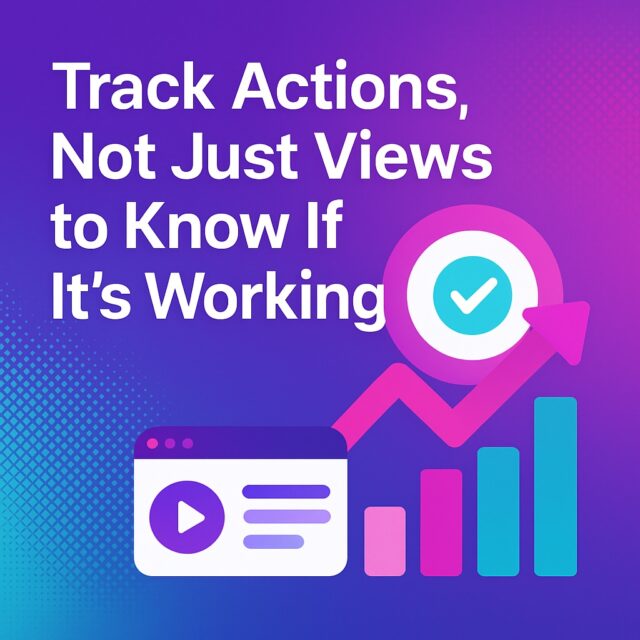
When video is aligned with your funnel and tracked by data, you can actually see how it impacts sales and leads.

Businesses with a solid video strategy see more consistent engagement, stronger brand positioning, and better conversion rates.

“Businesses with a solid video strategy see more consistent engagement, stronger brand positioning, and better conversion rates”

Why Strategy Sets Some Videographers Apart

Not all videographers are created equal. Some are visual storytellers. Others are strategic marketers.

A videographer who understands marketing can create content that doesn’t just look good—it works.

At Elevate Digital, we’re digital marketers and videographers. That means we:

Build your video content around business goals

Focus on the entire buyer journey—not just one video

Optimise videos for performance across platforms (SEO, social, ads)

Use frameworks like StoryBrand, Selling 7 and Engage to connect and convert

This approach transforms your content from a cost into a business asset.

videographer

What Does a Video Strategy Cost?

The cost of a video strategy can vary depending on your goals, the types of content needed, and the platforms involved. On average, a small business might invest anywhere from $600 to $1500 for a strategy-driven video campaign.

Factors that affect the cost:

The number of videos needed

The depth of strategy and planning involved

Whether distribution and analytics tracking are included

A one-off video without strategy often costs more in missed results than a strategy-backed content plan ever will.

Schedule a call
money

How to Get Started with a Video Strategy

1

Book a Free Strategy Call

We’ll talk through your goals, audience, and challenges.

2

Build Your Plan

We’ll create a tailored video roadmap aligned to your business.

3

Create with Purpose

We produce and deliver high-performing content backed by data and insight.

Get started

Contact

Final Takeaway

If your video content isn’t delivering results, it’s time to rethink your approach.

You came here because you want your videos to do more than just look good—you want them to drive real growth. That starts with strategy.

At Elevate Digital, we bring together videography, marketing, and storytelling to help your brand connect, convert, and grow.

Let’s turn your videos into your hardest working marketing asset.

Want to start your video strategy?

Name(Required)

This site is protected by reCAPTCHA and the Google Privacy Policy and Terms of Service apply.

What Is Real Estate Drone Videography (And Why It Could Sell Your Listing Faster)

Real Estate Drone Videography

Your listing’s been sitting for weeks with barely a click. You’ve got great photos, the copy’s solid—but buyers just aren’t biting. In today’s ultra-competitive real estate market, that’s not just frustrating—it’s expensive.

At Elevate Digital, we’ve helped real estate agents and property developers across Christchurch showcase homes in a way flat photos never could—through cinematic drone videography.

In this article, we’ll break down what real estate drone videography is, why it works, and how it can help your listings stand out and sell faster.

pexels-alejandro-henriquez-558322658-19151995

What Is Real Estate Drone Videography?

Increased Engagement and Views

Properties featuring aerial images sold 68% faster than those with standard images, according to a study by Digital Camera World. Drone footage increases the overall engagement of a listing, making it more likely to catch the eye of potential buyers.

Higher Chances of Closing a Deal

Listings with drone footage receive 68% more engagement compared to those without. This statistic, highlighted by Resimpli, indicates how effective drone videos are in attracting more attention from potential buyers. If you want your property to stand out, aerial views are a sure-fire way to grab that attention.

Higher Sales Price

According to research shared by Rechat, real estate agents who used drone footage in their marketing campaigns reported a 20% increase in home sales. This proves that aerial videography isn’t just about looking good — it can also lead to higher sale prices.

This Could Be The Edge You Need

Incorporating drone footage into your property listing can elevate its marketing, generate more engagement, and ultimately help close deals faster. With evidence suggesting that drone footage leads to quicker sales and higher selling prices, there’s no denying its impact. If you’re struggling to stand out in the competitive real estate market, drone videography could be the edge you need.

Ready to take your property listing to new heights? It might just be time to get that drone footage!

Contact
pexels-jo-theophile-741300-2438928